Product design / front-end development / 2026
Making salon payroll
easier to prepare.
Manual commission tracking took hours and left a salon owner correcting payroll mistakes. I designed and built a dashboard that automates commission calculations and makes each staff member’s earnings easy to review.
- Client
- Kimmy’s Beauty Bar
- My role
- Product Designer &
Front-End Developer - Platform
- Desktop & mobile web
- Timeline
- 2 weeks · January 2026
My contribution
My work on the project.
- Interviewed the salon owner and framed the commission-tracking problem.
- Designed the information architecture, tables, summary cards, and responsive UI.
- Built the React front-end and integrated Supabase authentication and data storage.
Who I worked with
Worked directly with Kimmy, the salon owner, to understand payroll and iterate on the working product.
The outcome
The owner reported preparing payroll in minutes rather than hours. That result comes from the owner’s feedback; I did not run a controlled performance study.
The problem
Payroll was a weekly bottleneck.
Commission splits varied from 60% to 70% by staff seniority and service type. Calculating each transaction by hand led to mistakes and repeated payroll corrections.
Staff could not easily confirm their earnings. The owner spent hours compiling receipts, checking staff assignments, and calculating payouts.
Salon Chat Kimmy (salon owner) + 3 stylists
An illustrative conversation about the old payroll workflow.
The opportunity
Calculate commissions as services are logged.
- Calculate commissions as soon as a service is logged.
- Make daily and historical earnings easy to review by staff member.
- Give the owner an view of overall sales and each staff member’s performance.

Finding the right direction
I initially explored a stylized, premium look inspired by beauty aesthetics. It made a data-heavy dashboard harder to scan. I pivoted to an enterprise-style interface using Ant Design, with familiar table interactions, clear hierarchy, and subtle branding.
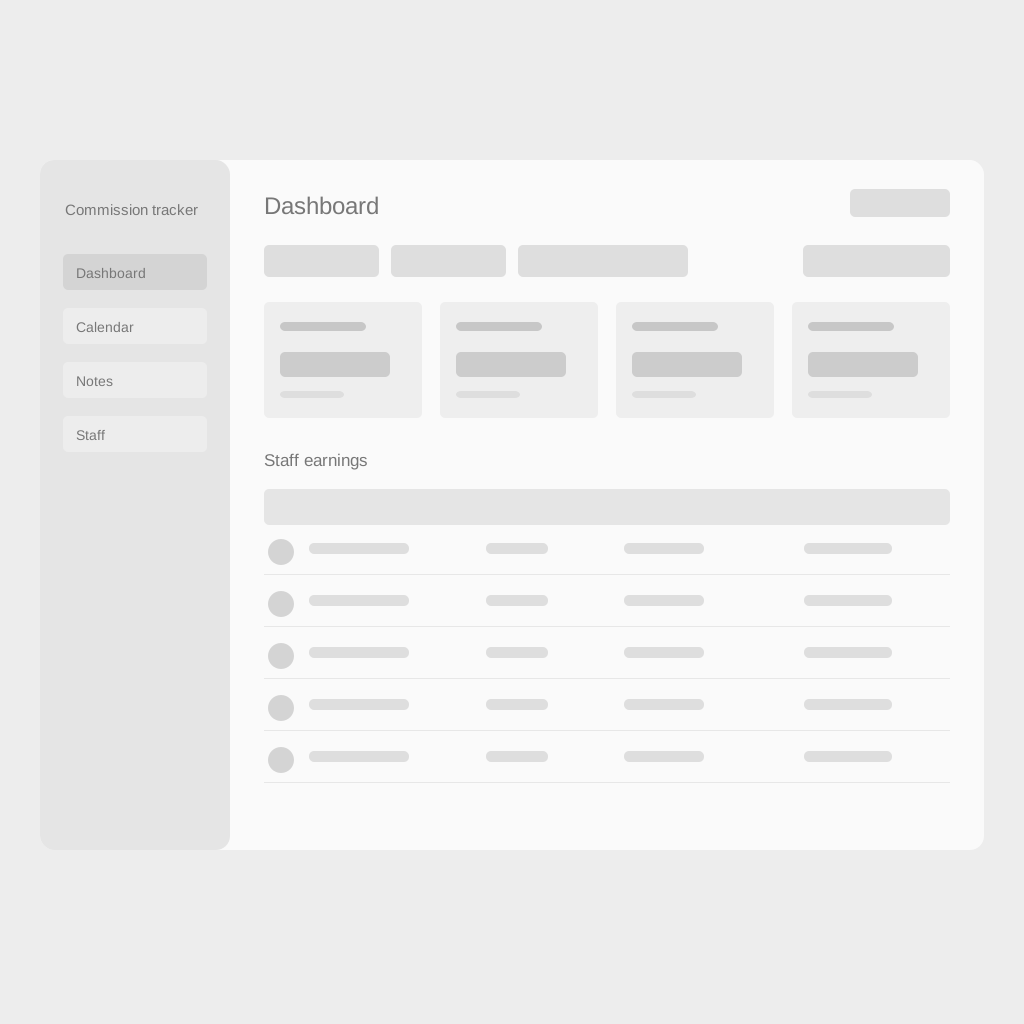
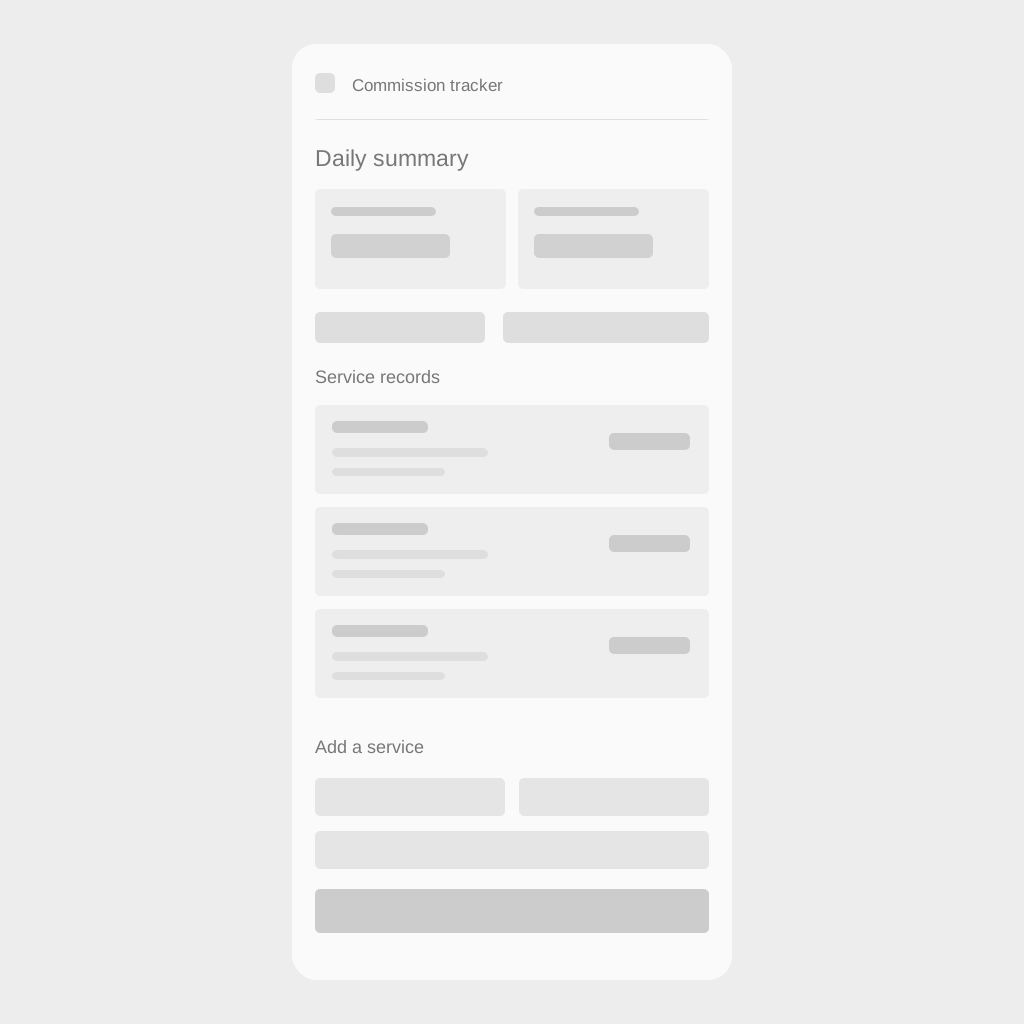
The information hierarchy moves from business health to staff breakdowns to detailed records. The reconstructed wireframes put totals first, then records, with entry controls beside the information the owner needs.
From design to working product
I owned the product design and built the front-end.
- Led product design from problem framing to final UI.
- Interviewed the salon owner to understand their workflow.
- Designed information architecture, data tables, and summary cards.
- Built the front-end with React, Vite, Ant Design, and Tailwind.
- Integrated Supabase for authentication and data storage.
The dashboard calculates commissions automatically, provides staff earnings summaries, and lets the owner filter sales records and manage services.
The shipped experience
Review totals and the records behind them.
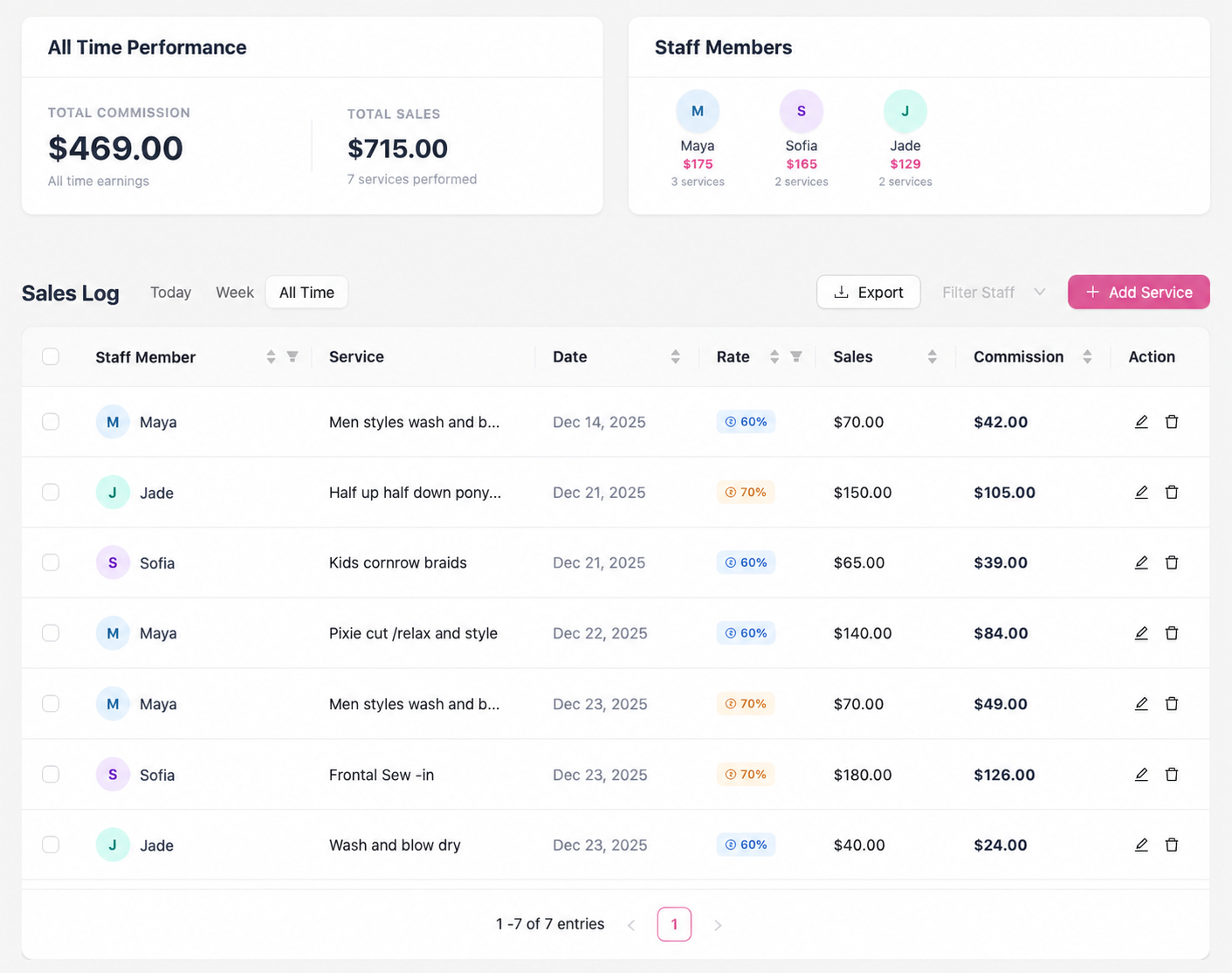
The dashboard puts sales and commission totals above staff summaries and the individual service log. Kimmy can see the overall picture first, then check the records behind a payout. Date ranges and staff filters narrow the view; sorting and CSV export support a closer review.
These screenshots were captured from the working app. Names and avatar initials have been replaced with fictional identities for privacy.
Keep the calculation beside the service.
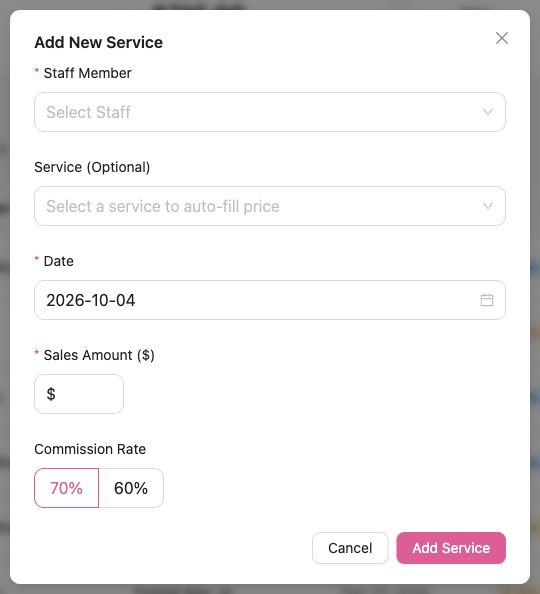
A service entry brings staff, service, date, sale amount, and the 60% or 70% split into one form. The app calculates the commission, so the owner does not need to switch to a calculator. A date picker also allows a missed service to be logged against the day it happened, rather than the day it was entered.
Why mobile mattered
The work did not always end at the salon.
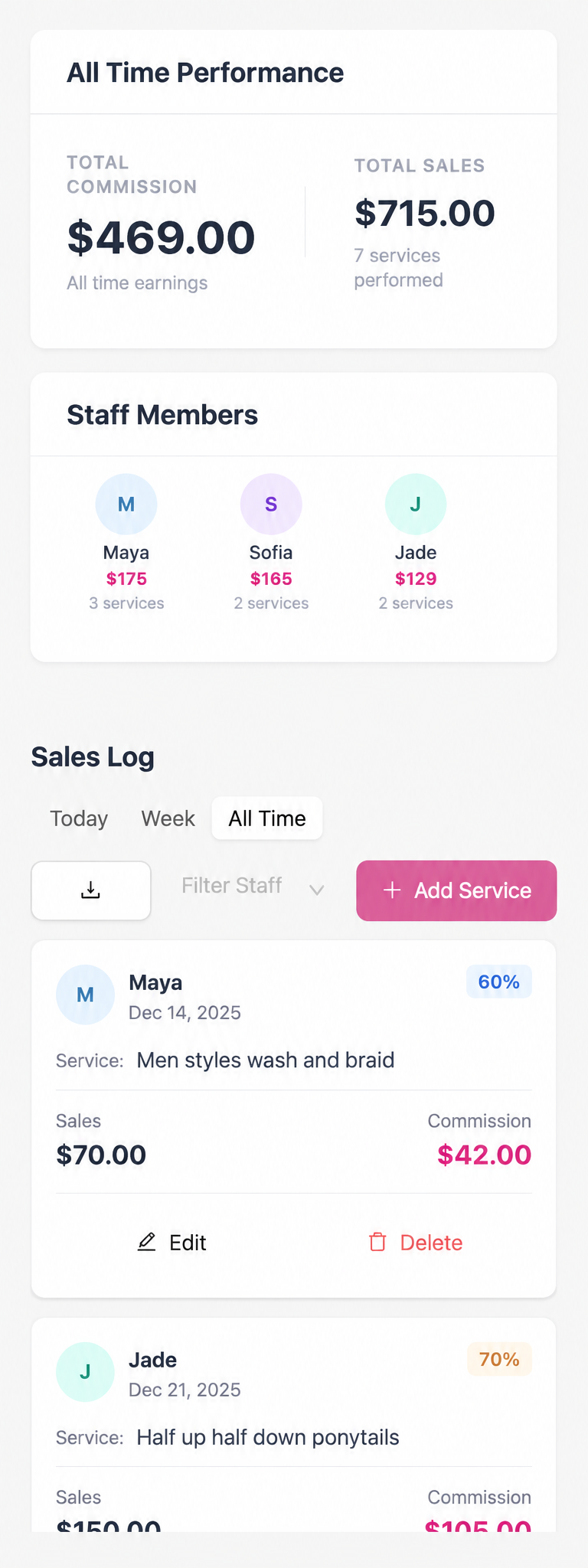
Kimmy needed to finish calculations and add missed services after work. Opening a computer for a small addition created extra friction. A phone also made it possible to check earnings or confirm a recent entry quickly, without setting up at a desk.
That made mobile part of the core workflow. The responsive web version uses the same records and calculations as desktop, with Supabase storing the data across sessions and devices.
I adapted the hierarchy for a narrower screen: summary cards stack, sales records become individual cards, controls wrap, and the sidebar moves into a navigation drawer. Each record keeps the staff name, sale, rate, and commission together so a quick check still has enough context.
Two useful moments
- After the shift: add a service that was missed during a busy day and let the app handle the commission arithmetic.
- Between tasks: check a total or a staff member’s records without pulling up a computer.
The desktop view supports a broader payroll review. Mobile makes the same information accessible when the owner only has a phone and a few minutes.
A calendar for context
Find a service by when it happened.
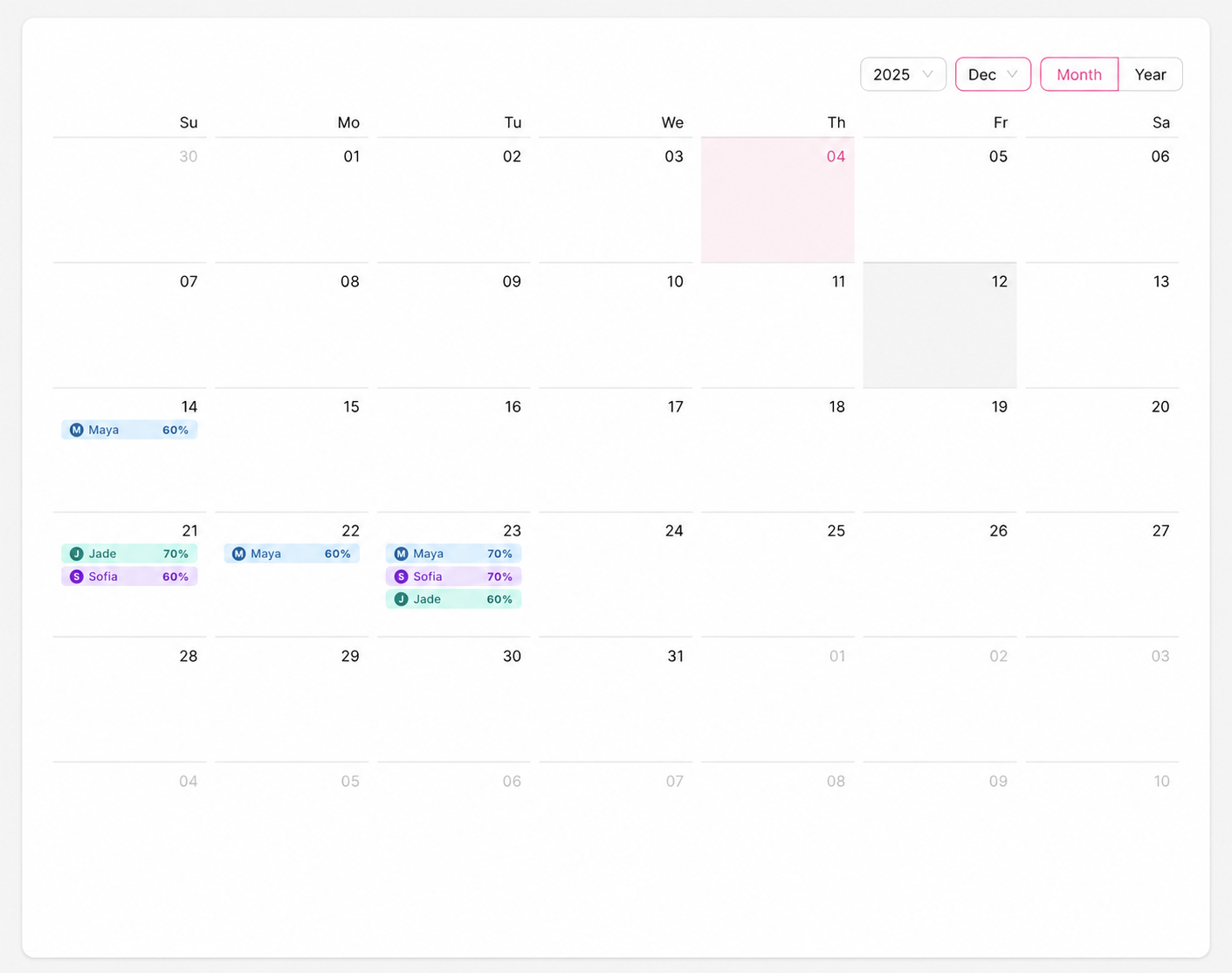
A table is useful for comparing amounts, but a calendar answers a different question: what was logged on a particular day? The month view places staff entries on their service dates. Selecting an entry opens its details, including the sale, rate, and commission.
The year view rolls activity up by month. This gives the owner a way to move between a specific day and a broader view of recorded sales without searching through the full log.
Keep follow-ups close
Not everything belongs in a transaction row.
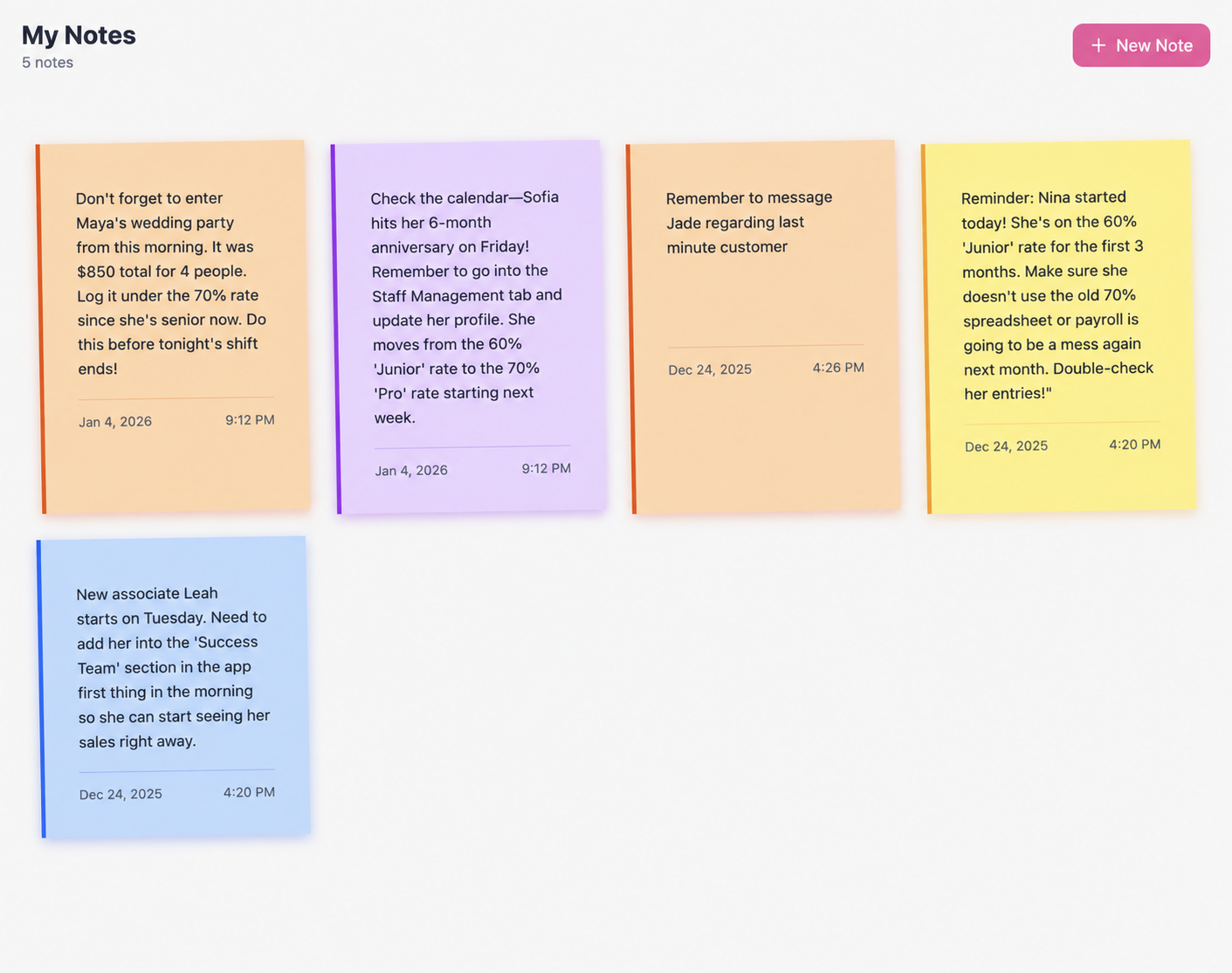
Missed entries, staff milestones, and reminders still need a place to live. The Notes screen keeps these follow-ups beside the commission workflow, rather than leaving them scattered across a separate document or a chat.
Notes can be created, edited, and removed. Dated cards make it easy to return to a reminder; a note about a rate change remains a reminder, while the actual commission rate is selected on the service entry.
Manage the people behind the numbers
A clear staff list supports clear records.
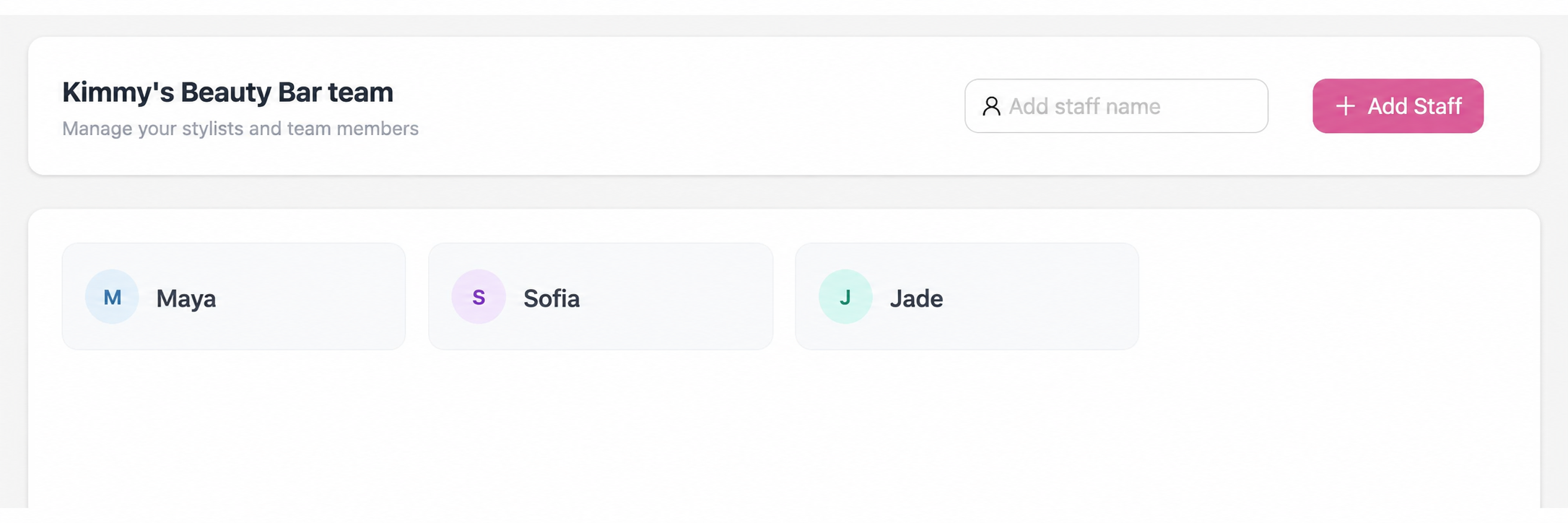
The Staff screen gives Kimmy a dedicated place to add and update team members. Keeping this separate from the sales log reduces the amount of administration mixed into a payroll review.
Staff identities connect the service form, dashboard summaries, and calendar entries. Updating a name also updates its associated records, preserving that connection across the product.
The result
Payroll prep went from hours to minutes.
Automatic calculations replaced manual commission arithmetic, and staff earnings became easier to review. The owner’s feedback supports the improvement in payroll preparation; no formal error-rate study was recorded.
“I used to dread doing payroll. Now I can see exactly what everyone earned in seconds.”
Kimmy, Salon Owner
What I learned
The owner needed to read the totals and check the records quickly. Familiar table patterns worked better for that task than the stylized interface I explored first.
Working on a usable MVP let me revise the product around how the owner used it day to day.
The product already exports sales records as CSV. Next opportunities include performance charts, a dedicated accounting integration, and a progressive web app.
Keep exploring